 Timecard
 Pastely

iPhone metric widgets, compared. Checked November 2026.
Spikely vs PulseKit
Free-to-start metric widgets for iPhone, against an alert-first app.


- Price
- $9.99 a month or $79.99 a year
- Free to start; Pro listed at $5.99 and $59.99 in the App Store
- Runs on
- iPhone, iPad, Mac and Apple Watch
- iPhone, iPad and Apple Watch; its site also shows Mac and Vision Pro
The short answer
PulseKit is an iPhone, iPad and Apple Watch app that turns metrics from 29 tools, including crypto and social ones, into Home Screen, Lock Screen and StandBy widgets, with a free tier. Its site and App Store listing don't mention alerts. Spikely connects 19 startup tools and is built around alerting you when a number leaves its usual range, with what else changed. Choose PulseKit to glance at your numbers, and Spikely to be told when they move.
 Written by Prince Ajuzie, who builds Spikely, so weigh it accordingly.
Checked against PulseKit's own pages on .
Choose PulseKit if
- You want your numbers on your Home Screen for free.
- You track crypto, social or community numbers like DeFi Llama, Dune, Product Hunt or Patreon.
- You're happy to glance at a widget rather than be told.

Choose Spikely if
- You want to be told the minute a number moves, without checking.
- You use Stripe, Polar, Paddle, RevenueCat, PostHog, Mixpanel, Sentry or Google Play.
- You want Why, rules, quiet hours and Launch mode, as well as widgets.
Feature by feature. Side by side.
| Spikely | PulseKit | |
|---|---|---|
| What it's for | SpikelyTelling you when a startup number breaks its usual pattern | PulseKitWidgets for your key metrics on your Home Screen |
| Price | Spikely$9.99 a month or $79.99 a year | PulseKitFree to start; Pro listed at $5.99 and $59.99 in the App Store |
| Free option | SpikelyPartly: 3-day trial on the yearly plan | PulseKitYes: Yes, with a limit on widgets |
| How it decides to alert you | SpikelyYes: A usual range for each metric by hour and day, plus your own rules | PulseKitIts site and App Store listing don't mention alerts |
| Reaches your phone | SpikelyYes: Alerts on iPhone, iPad, Mac and Apple Watch | PulseKitNot mentioned on its site or App Store listing |
| What it reads | SpikelyYes: 19 tools across payments, hosting, analytics, app stores and errors | PulseKitYes: 29 integrations listed, including crypto and social tools |
| Shows what else changed | SpikelyYes: Yes, lists what your other tools recorded around the move | PulseKitNot listed |
| Widgets | SpikelyYes: Home Screen, Lock Screen, Mac desktop and menu bar, Apple Watch | PulseKitYes: Home Screen, Lock Screen, StandBy and Apple Watch |
| Runs on | SpikelyiPhone, iPad, Mac and Apple Watch | PulseKitiPhone, iPad and Apple Watch; its site also shows Mac and Vision Pro |
| Team features | SpikelyNo: No, built for a founder's own devices | PulseKitNot listed |
"Not listed" means we didn't find it on the pages we read, not that it doesn't exist. Prices and features change. Sources: PulseKit website, PulseKit integrations, PulseKit on the App Store.

What really sets them apart
Glancing or being told
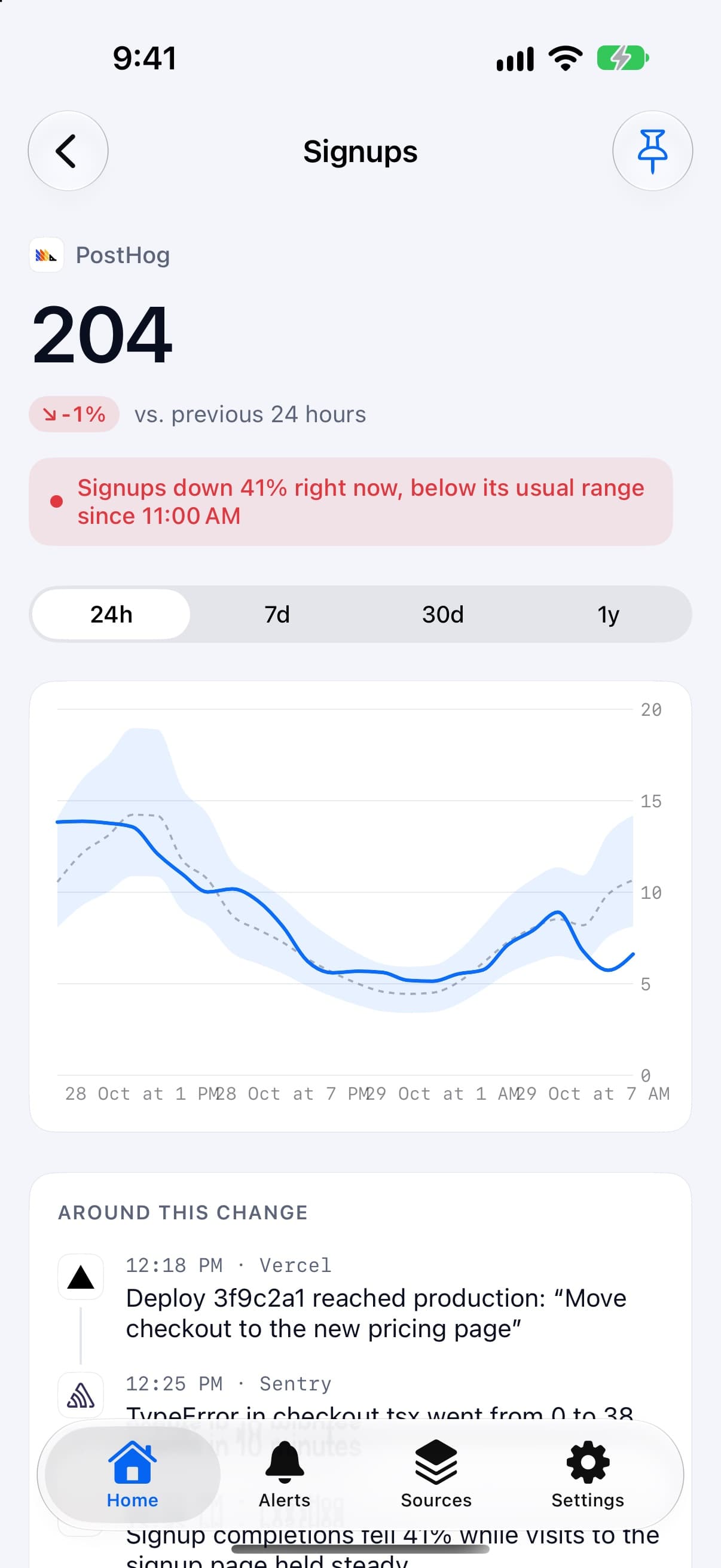
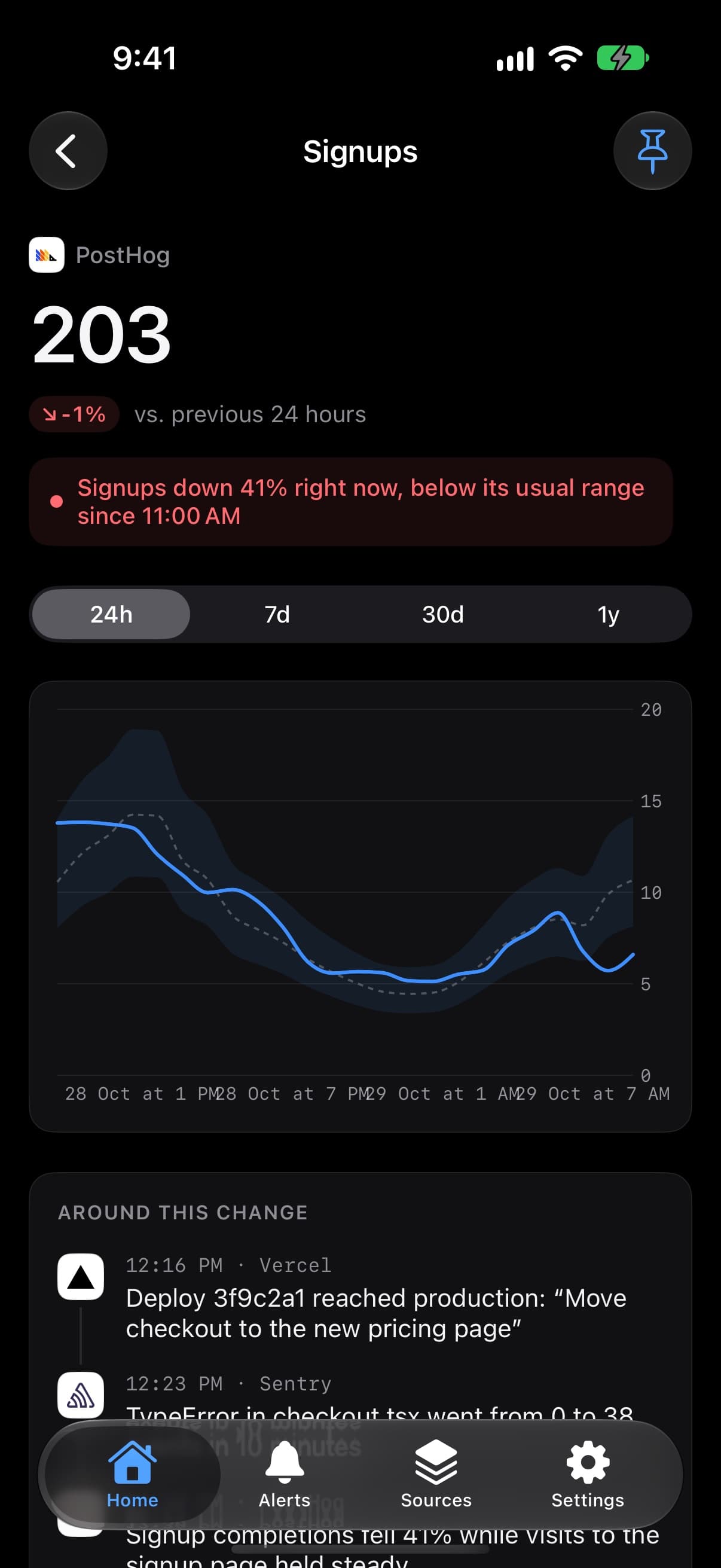
PulseKit is built around widgets you look at. Spikely learns a usual range for each metric and sends an alert when a number leaves it.
Which tools
Both read Lemon Squeezy, Dodo Payments, Vercel, Cloudflare, Google Analytics, Plausible, App Store Connect, Supabase and GitHub. PulseKit adds crypto, social and developer tools. Spikely adds Stripe, Polar, Paddle, RevenueCat, Netlify, PostHog, Mixpanel, Google Play, Sentry and Firebase.
Getting started
PulseKit is free to start, with Pro unlocking unlimited widgets. Spikely has no free plan, only a 3-day trial on the yearly plan.
Can you use both?
Yes. PulseKit can keep a crypto or social number on your Home Screen, while Spikely watches your revenue, traffic and errors and tells you when one breaks pattern.
Questions, answered plainly.
Its website and App Store listing describe widgets and don't mention alerts or push notifications. That may have changed, so check the current listing.
It's free to download, and its App Store listing shows PulseKit Pro in-app purchases at $5.99 and $59.99 when we checked, without saying which is monthly or yearly. Pro unlocks unlimited widgets.
If you want alerts when a number moves, yes. If you mainly want free widgets, or you track crypto and social numbers Spikely doesn't read, PulseKit fits better.

Try it on your own numbers. Then decide.
Connect a source with a read-only key and see what Spikely flags. You can look around before you sign in.
3 days free on yearly · iPhone, iPad, Mac and Apple Watch
Compare Spikely with
Stripe's app runs your account. Spikely watches for moves that break pattern.
Deep subscription analytics on the web, against pattern alerts on your phone.
Free subscription reporting for small startups, against alerts across your stack.
Shared KPI dashboards for a team, against a quiet alert app for a founder.
Alerts on your PostHog insights, against alerts across PostHog and 18 other tools.
Infrastructure monitoring for engineers, against business numbers for founders.
On-call routing for teams, against pattern detection for one founder.
A free-to-start metrics dashboard for iPhone, against an alert-first app.
An API for pushing your own events to iPhone, against an app that watches your tools for you.