 Timecard
 Pastely


Revenue Drop Alerts for Stripe, Paddle, Polar and More
Revenue dropped at 2 PM. You shouldn't learn that at month end.
A fixed threshold fails in both directions: weekends set it off, and a real drop on a busy day slips under it. Spikely compares revenue with its own recent pattern, so the alert means something when it arrives.

$1,746, usually $2,699 to $3,651. 45% below usual.
 VercelA deploy reached production
 SentryA new error appeared in checkout
 StripeNew subscriptions fell below their usual range
The short answer
To get an alert when revenue drops, connect your payment tool to Spikely with a read-only key. It learns the usual range of your revenue for that hour and day, without a fixed threshold, and alerts your iPhone when it falls outside, along with what your other tools recorded.
 Written by Prince Ajuzie, who builds Spikely.
Updated
- Connects to


 and 15 more
- Access
- Read-only keys
- Runs on
- iPhone, iPad, Mac, Apple Watch
- Price
- $9.99 a month or $79.99 a year, 3 days free on yearly
Why fixed revenue alerts don't work
Normal changes through the week
Most businesses earn less at the weekend and overnight. A threshold low enough to stay quiet then is too low to catch a bad Tuesday.
Thresholds go stale as you grow
The line you set at $1,000 a day means nothing at $5,000. Nobody remembers to go back and change it.
Payment tools report, they don't watch
A billing dashboard is accurate when you open it. Finding the problem still depends on you opening it at the right time.
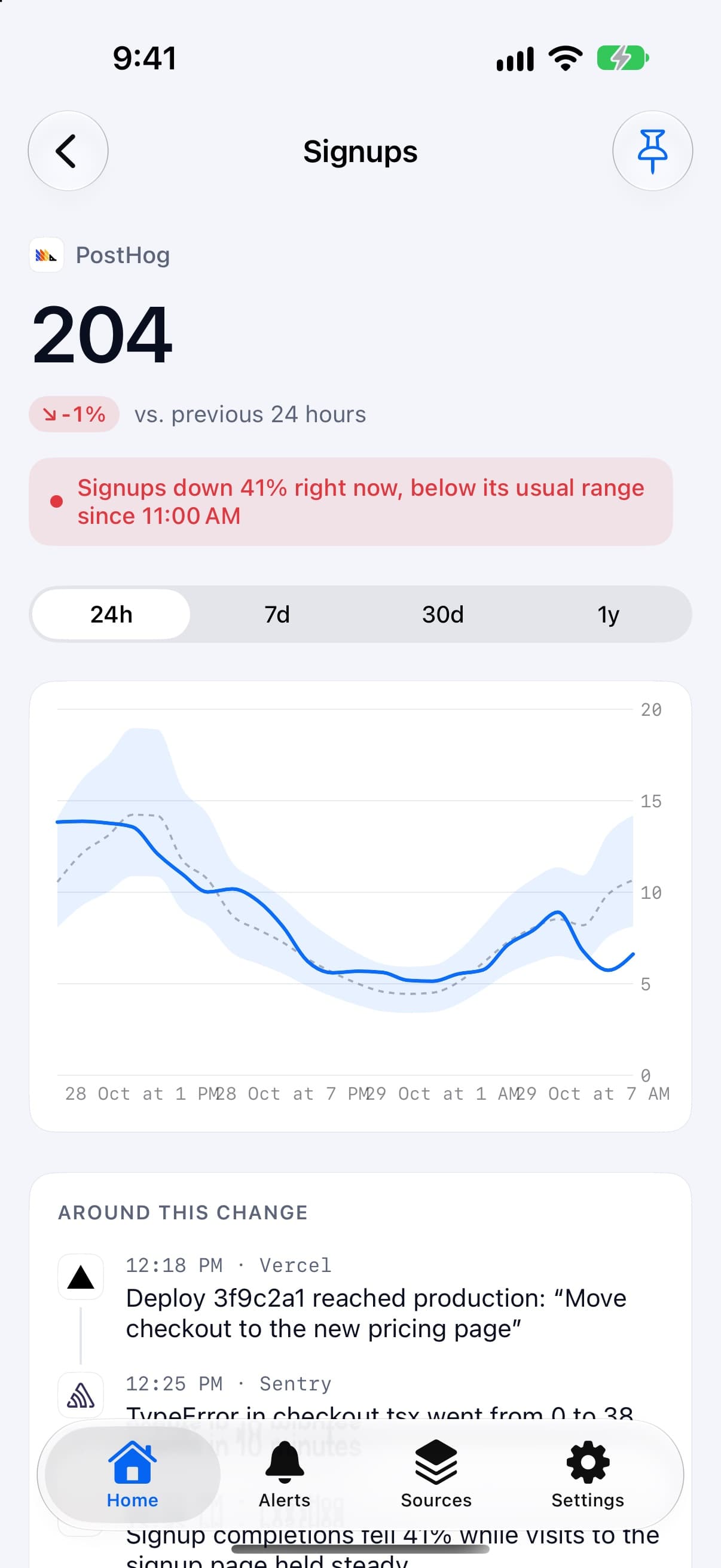
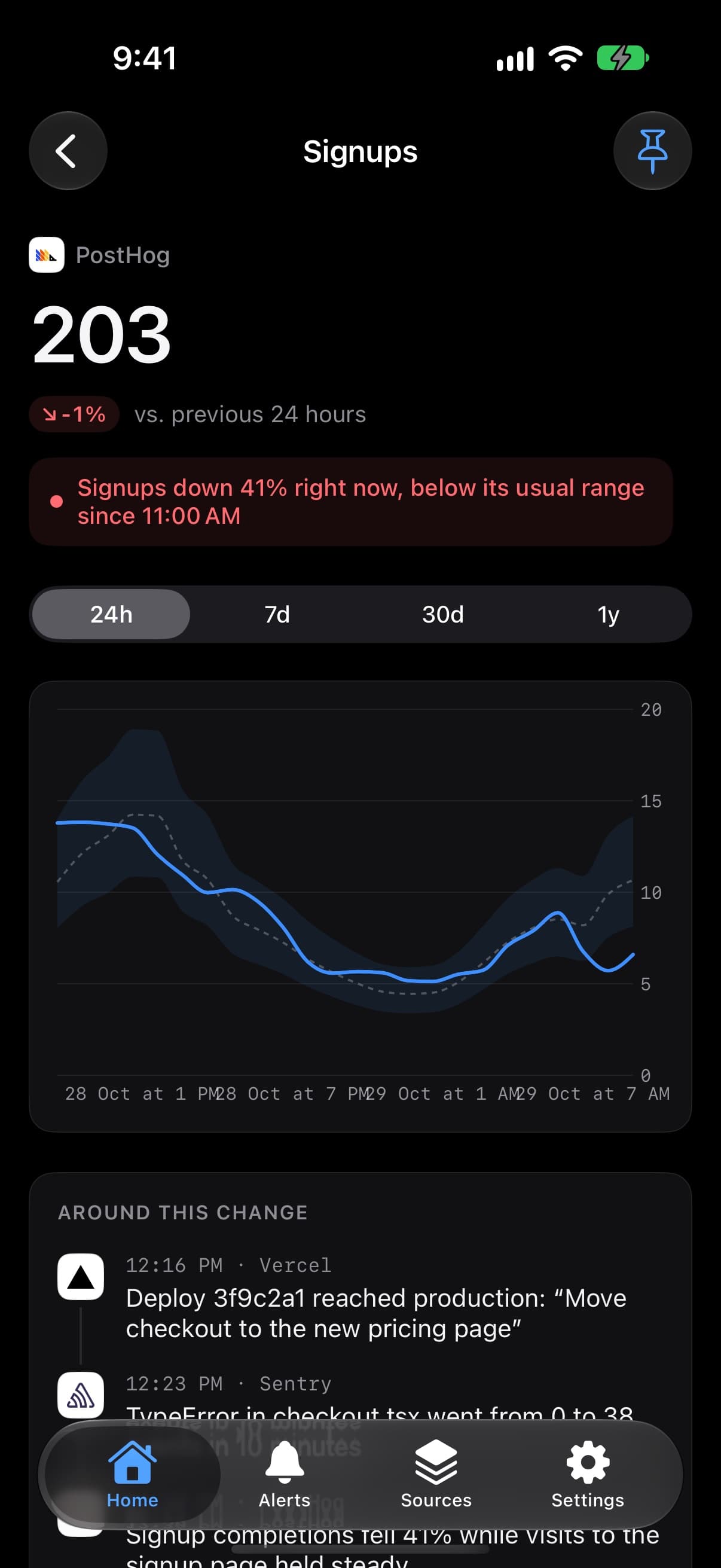

How a revenue alert gets decided
It builds a range from your history
Spikely compares the number with the same stretch of the period before, scaled to where things have settled since.
You choose how sensitive it is
Big moves only, Balanced or Every move decides how far outside the range a number has to go before you hear about it.
You can still add a hard line
If a specific figure matters, add a rule for when revenue goes above, below, rises by or falls by an amount.
It reaches you when it's urgent
Quiet hours hold back banners overnight, unless you marked the rule urgent.
Which numbers to watch and what a break usually means.
| Number | Read from | What a break usually means |
|---|---|---|
| MRR and new subscriptions | Stripe | A broken checkout, or a change in who is buying |
| Revenue and orders | Polar | One-off sales drying up, or a surge you should look into |
| Revenue and churn | Paddle | A renewal group failing or customers cancelling |
| Payments and refunds | Dodo Payments | Refunds climbing, or payments stopping altogether |
These are common readings, not diagnoses. Spikely shows what moved and what your tools recorded, and you decide what it means.
How to set it up
Install Spikely
Get it from the App Store. You can look around first, and signing in turns on alerts.
Connect Stripe
Add a key with the narrowest access available, using our Stripe key guide. Then add your other tools the same way.
Choose a sensitivity
Big moves only, Balanced or Every move. Add your own rules for any line you care about.
When Spikely is the wrong tool.
You need fraud detection
Spikely watches totals against a usual range. It doesn't inspect individual payments or block anything.
You need accounting figures
Use your payment provider or accounting tool for anything you report or file.
Questions, answered plainly.
Create a restricted Stripe key with read-only permissions, connect it in Spikely, and sign in to turn on alerts. Spikely flags revenue when it leaves its usual range, and you can add your own rule for a specific amount.
A fixed threshold ignores time of day, the day of the week and growth, so it fires too often or too late. A usual range moves with your business. You can still add a fixed rule for a line you care about.
It shows what your connected sources recorded before the move began, such as a deploy or a new error. It doesn't guess at causes it can't see, so you decide whether they are related.
Stop checking. Start hearing about it.
Spikely learns what normal looks like for every number your startup runs on, and tells you when one breaks pattern, with what changed around it.
3 days free on yearly · iPhone, iPad, Mac and Apple Watch
More use cases
The 24 hours after you post, in the Dynamic Island, with a count of what needs you.
When signups or errors move after a release, the deploy is listed right beside them.
An alert when visitors jump above their usual range, with the referrer if it was recorded.
Every number you own, watched for you, with one alert when something breaks pattern.
Free tools for this
Paste any metric and see its usual range, what moved outside it, and by how much.
Paste a metric and test alert settings against your own history before they wake you up at 3 AM.
Work out customer, gross and net revenue churn, what it means over a year, and how long customers stay.