 Timecard
 Pastely


Track a Product Launch Live on Your iPhone
Launch day has one job: notice what matters while it matters.
You've posted it, and now you're answering comments with six dashboards open. Launch mode keeps the 24 hours after you post in the Dynamic Island, so you can stay in the conversation and still see when something needs you.

7,781, usually 2,063 to 2,791. 3.2× usual.
 VercelMost new visits came from one referrer
 GitHubStars picked up in the same hour
 PostHogSignups rose alongside the traffic
The short answer
To track a launch with Spikely, turn on Launch mode when you post. It keeps the next 24 hours in the Dynamic Island on iPhone, counts anything that needs you, and flags visitors, signups, revenue or errors that leave their usual range, with what your other tools recorded.
 Written by Prince Ajuzie, who builds Spikely.
Updated
- Connects to

 and 15 more
- Access
- Read-only keys
- Runs on
- iPhone, iPad, Mac, Apple Watch
- Price
- $9.99 a month or $79.99 a year, 3 days free on yearly
Why launches get missed in the moment
Launch traffic hides problems
Everything looks busy, so a failing signup form is easy to miss, and your best hour of traffic is the worst time for it.
You can't refresh and reply at once
The conversation needs you, and so do the dashboards. Switching between them means doing both badly.
The peak has a short window
You want to know where people are coming from while there is still time to go and join that thread.
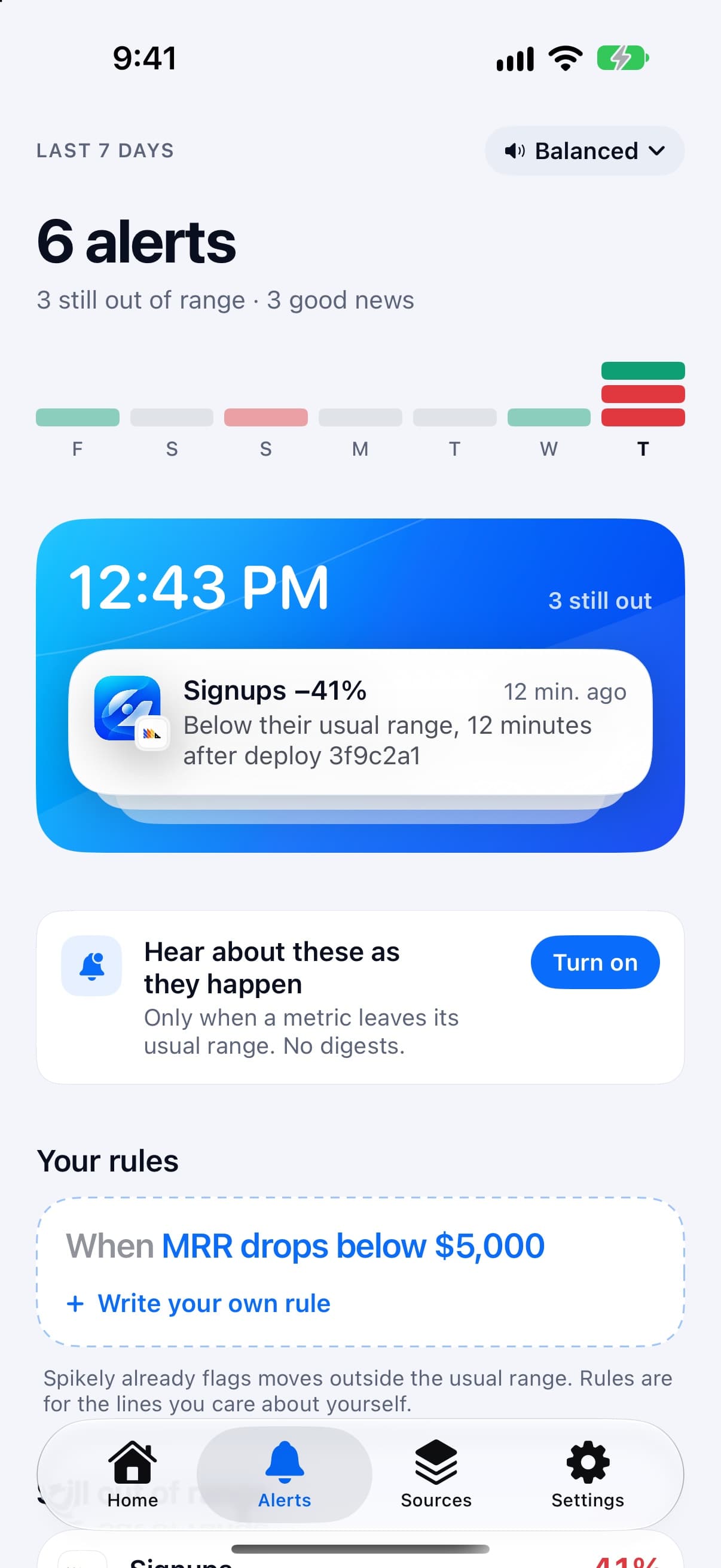

How Launch mode works
A 24-hour Live Activity
Launch mode counts down the 24 hours after you post in the Dynamic Island, and shows how many things need you.
Good news gets an alert too
A jump in visitors is flagged the same as a drop in signups, with the referrer if your host recorded one.
The surrounding numbers
Why lists what your other sources recorded in the same window, such as GitHub stars or a new error.
A record for afterwards
When the rush is over, you can see which numbers moved and how far. Use the free milestone card tool if you want to share one.
Which numbers to watch and what a break usually means.
| Number | Read from | What a break usually means |
|---|---|---|
| Visitors and page views | Vercel | The post is landing, and where the visits are coming from |
| Signups | PostHog | Whether the traffic is converting or the form has broken |
| Orders and revenue | Lemon Squeezy | Whether people are paying as well as looking |
| Errors | Sentry | New load exposing something that was fine yesterday |
These are common readings, not diagnoses. Spikely shows what moved and what your tools recorded, and you decide what it means.
How to set it up
Install Spikely
Get it from the App Store. You can look around first, and signing in turns on alerts.
Connect Vercel
Add a key with the narrowest access available, using our Vercel key guide. Then add your other tools the same way.
Choose a sensitivity
Big moves only, Balanced or Every move. Add your own rules for any line you care about.
When Spikely is the wrong tool.
You want launch promotion
Spikely doesn't post, schedule or find communities for you. It only watches the numbers.
You need load testing
It tells you when errors or latency move. It can't tell you beforehand whether your site will hold up.
Questions, answered plainly.
It puts the 24 hours after you post into the Dynamic Island on iPhone: a countdown, how many things need you, and the metric that moved. It is included in Spikely Pro.
The Dynamic Island view needs an iPhone that has one. Alerts and widgets work without it.
Yes. Launch mode isn't tied to one site. Your host or analytics tool may also report the referrer, and Why can list it.
Stop checking. Start hearing about it.
Spikely learns what normal looks like for every number your startup runs on, and tells you when one breaks pattern, with what changed around it.
3 days free on yearly · iPhone, iPad, Mac and Apple Watch
More use cases
An alert when revenue falls below its own usual range, with no fixed threshold to maintain.
When signups or errors move after a release, the deploy is listed right beside them.
An alert when visitors jump above their usual range, with the referrer if it was recorded.
Every number you own, watched for you, with one alert when something breaks pattern.
Free tools for this
Turn $10K MRR or your first 1,000 users into a card worth posting. No design tools.
What Stripe, Vercel, GitHub and more say about themselves right now, from their own status feeds.
Paste a metric and test alert settings against your own history before they wake you up at 3 AM.